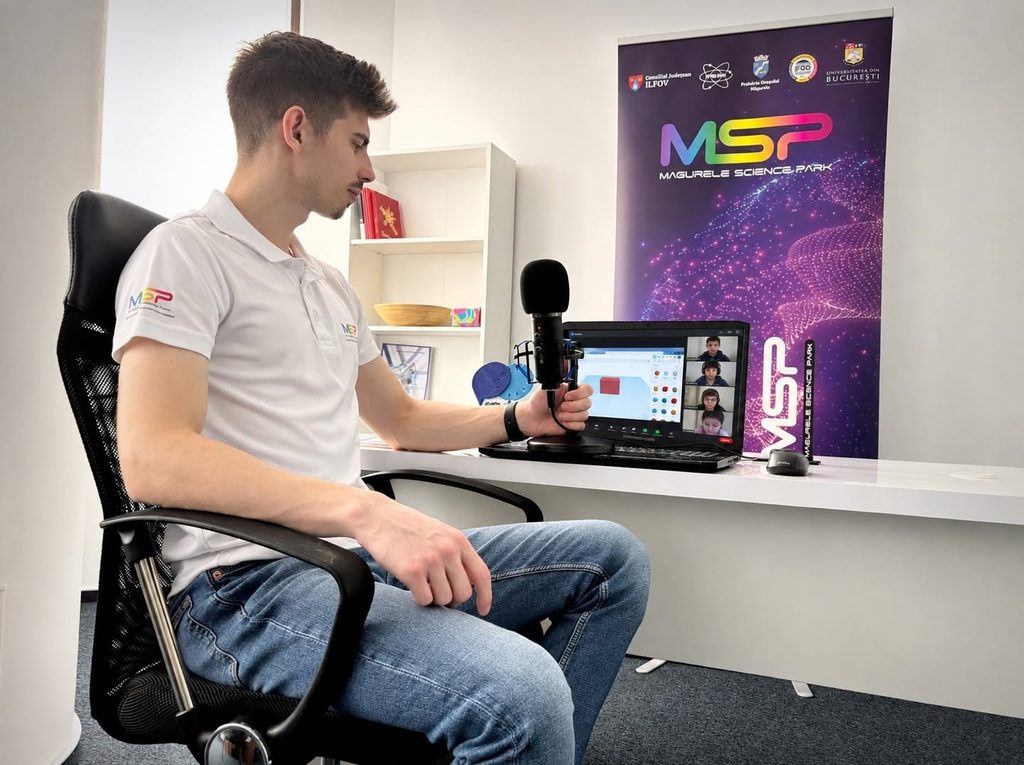
As part of the 2026 3D Modeling and Printing Competition, the training sessions held on the Discord platform (taking place from October 12 to October 16) give school students the opportunity to discover and explore the features of Tinkercad, a 3D design tool that we have used in every edition of the competition. Year after year, students have demonstrated increasing creativity and ingenuity in using this platform, developing original projects with a strong educational and interactive focus.
10 Schools compete for 3 3D Printers
The competition offers a significant prize: the top three schools, represented by their teams, will each receive a 3D printer donated by sponsor Formwerk to equip their computer labs. This opportunity motivates students to approach their projects with dedication, seek innovative solutions, and combine theoretical knowledge with technical and creative skills. Their goal is to create an original, engaging, and interactive educational model that impresses the judging panel and demonstrates the educational value of 3D printing.
What happens during the discord training sessions?
The training sessions are designed to familiarize students with the main tools and operations available in Tinkercad. Starting with the basics, participants explore the features they need to turn their ideas into tangible 3D models.
An important aspect of these sessions is project selection. Students come up with ideas for educational objects, explore the possibilities for creating them, and decide which model they want to build, taking into account its educational value, complexity, and appeal.
Whether they choose topics from geography, biology, chemistry, physics, ICT, or technology, students develop their projects with the aim of making learning more visual, practical, and interactive.
As the competition progresses, participants develop their digital skills, discover new 3D design techniques, and learn how to adapt their ideas to the possibilities offered by 3D printing.
What is Tinkercad?
Tinkercad is a free online platform developed by Autodesk that allows users to design three-dimensional objects, simulate electronic circuits, and explore visual programming. Thanks to its intuitive interface, the platform is suitable for both students and teachers, making it a valuable tool for educational activities based on creativity, experimentation, and hands-on learning.
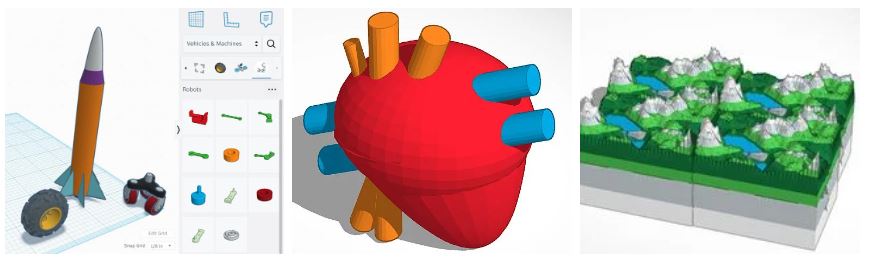
The platform supports the following activities:
● 3D design
Students can create three-dimensional models by combining and modifying basic geometric shapes. This allows them to design decorative objects, scale models, stands, anatomical models, geographical representations, and various educational materials that can later be produced using a 3D printer.
● Electronic circuits (circuits)
The platform allows students to build and simulate virtual electronic circuits using components such as LEDs, resistors, buttons, sensors, and Arduino boards. Students can test connections and programs in a virtual environment before moving on to experiments with physical equipment.
● Visual programming (Codeblocks)
Using instruction blocks, students can generate shapes and 3D models through sequences of commands. This feature helps them understand introductory concepts in algorithms, logic, and programming.
● How does 3D design work in Tinkercad?
In the 3D Design workspace, objects are created by adding, positioning, resizing, and combining geometric shapes. Starting with simple elements, students can build complex models tailored to the requirements of their educational projects.
Some of the most important tools include:
- Workplane – the workspace on which objects are positioned.
- Basic Shapes – a library of basic geometric shapes, such as cubes, cylinders, and spheres.
- Move – allows users to move objects around the workspace.
- Resize – allows users to change the dimensions and proportions of objects.
- Rotate – allows users to rotate objects in different directions.
- Align – helps users precisely align two or more shapes.
- Group – combines selected shapes into a single object.
- Hole – allows users to create cutouts by designating shapes as holes.
By practicing these operations, students learn how to organize their models, maintain accurate proportions, and prepare their objects for 3D printing.
The 3D printing stage is coming up!

We hope these training sessions will provide students with the knowledge and confidence they need to turn their ideas into original projects. The Discord meetings are an important step in preparing the teams, giving them the opportunity to learn, experiment, and find technical solutions for their own concepts.
We look forward to discovering the projects developed by the 10 participating schools and the 3D models students will bring to the hands-on printing sessions.
Creativity, technology, and education come together in this competition, where students’ ideas take shape, layer by layer, through the power of 3D printing!